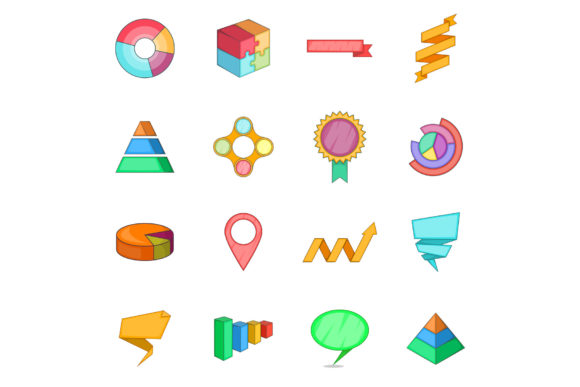
Pyramid Bar Infographic Icons for Vector Design
Visualizing hierarchical data or progressive steps can often feel like a design challenge, especially when trying to maintain a clean and professional aesthetic. The Pyramid Bar infographic icon serves as a versatile visual metaphor that instantly communicates structure, growth, and organization. Unlike standard bar charts that simply compare quantities, the pyramid shape implies a foundation, levels of importance, or a sequential journey from bottom to top. When integrated into vector design workflows, these icons transform abstract concepts into tangible, easy-to-understand graphics that resonate with viewers across digital and print mediums.
Understanding the Value of Vector-Based Pyramid Graphics
The primary appeal of using an Infographic Icon - Pyramid Bar lies in its technical flexibility and semantic clarity. In practical terms, this asset is not just a static image; it is a collection of 100 fully resizable vector files provided in EPS10 format. For designers and non-designers alike, this distinction is crucial. Raster images lose quality when scaled, resulting in pixelated edges that look unprofessional on large banners or high-resolution brochures. Vector files, however, rely on mathematical paths rather than pixels. This means you can stretch a pyramid bar icon to fit a billboard or shrink it for a business card without ever sacrificing crispness or detail.
Beyond technical specifications, the pyramid bar carries inherent psychological weight. It naturally suggests stability because of its wide base, making it ideal for illustrating foundational business principles, educational curriculums, or marketing funnels. Whether you are mapping out a five-step strategy or displaying demographic segmentation, the geometry does the heavy lifting, allowing your audience to grasp the relationship between data points faster than they could by reading text alone.
Practical Applications Across Industries
Versatility is key when investing in design assets. Because this package includes 100 unique variations, it supports a wide array of use cases beyond simple corporate reporting. Consider how different professionals might leverage these printable projects:
- Educators and Trainers: Use pyramid bars to visualize Bloom’s Taxonomy, food groups, or organizational hierarchies in classroom handouts and e-learning modules. The clear segmentation helps students retain complex information.
- Marketers and Entrepreneurs: Illustrate sales funnels where the wide base represents awareness and the narrow tip represents conversion. These icons work exceptionally well in pitch decks, social media carousels, and lead magnets.
- Small Business Owners: Create internal process documents or employee onboarding guides. A pyramid chart can simplify standard operating procedures, making them less intimidating for new hires.
- Bloggers and Content Creators: Break up long-form articles with engaging visuals. A custom-colored pyramid bar can serve as a featured image or an inline graphic that boosts time-on-page metrics.
- Freelance Designers: Speed up client deliverables. Having a library of pre-made, editable pyramid vectors reduces production time, allowing you to focus on customization and strategy rather than drawing shapes from scratch.
Technical Specifications and File Management
When downloading creative assets, understanding what is included ensures a smooth workflow. This specific collection is designed for both immediate previewing and deep editing. The package contains JPEG previews at 300 DPI. These high-resolution raster files are perfect for quick mockups, client approvals, or inserting directly into documents where vector editing is not required. At 300 DPI, these JPEGs meet the industry standard for professional printing, ensuring that even the preview files look sharp on paper.
However, the core value resides in the EPS10 files. EPS (Encapsulated PostScript) is a legacy vector format that remains widely compatible with Adobe Illustrator, CorelDRAW, Affinity Designer, and even some free alternatives like Inkscape. The "10" designation refers to the version compatibility, ensuring that users with older software versions can still open and edit the files without encountering errors. With 100 fully resizable vector files at your disposal, you have a comprehensive toolkit that covers various styles, colors, and configurations of the pyramid bar concept.
Customization Tips for Beginners
You do not need to be an advanced illustrator to get value from these vectors. Modern design software makes customization accessible. Here are practical ways to adapt the Infographic Icon - Pyramid Bar to your specific needs:
- Color Matching: Most vector files come with grouped layers. You can easily select individual segments of the pyramid and apply your brand’s hex codes. Consistent coloring reinforces brand identity across all your printable projects.
- Adding Text Labels: Vectors are infinitely scalable, but text requires careful placement. Always add labels within your design software rather than flattening the image first. This keeps the text editable and ensures it scales proportionally with the icon.
- Mixing Styles: With 100 options available, try combining different pyramid aesthetics. Pair a solid, bold pyramid for main headings with a lighter, outlined version for secondary points to create visual rhythm without clutter.
- Exporting for Web vs. Print: Remember that while your source file is EPS, your output format matters. Export as SVG for websites to maintain scalability and small file sizes. Stick to PDF or high-res PNG/JPEG for physical printing to preserve color accuracy.
Important Considerations Before Use
While pyramid bars are powerful, they must be used thoughtfully to remain effective. One common pitfall is overcrowding. Pyramids typically work best with three to seven distinct levels. If your data has twenty categories, a pyramid bar may become unreadable. In such cases, consider breaking the data into multiple smaller pyramids or choosing a different chart type entirely. Clarity should always trump decoration.
Additionally, consider the context of your printable projects. Colors that look vibrant on a backlit screen may appear dull on uncoated paper. Always test print a sample if color fidelity is critical. Since the included JPEG previews are already 300 DPI, they serve as an excellent reference for how the final printed piece might look compared to your screen display.
Licensing is another factor to keep in mind. Ensure you understand the usage rights associated with the vector pack. While most commercial licenses allow for use in client work and products, some restrict resale of the raw vector files themselves. Respecting these terms protects both the creator and your business from legal complications.
Finally, accessibility should not be overlooked. When using pyramid bars in digital formats, always include descriptive alt text. Screen readers cannot interpret the visual hierarchy of a graphic, so providing a text-based summary ensures that all users, regardless of ability, can access the information you are presenting. By combining the technical advantages of EPS10 vectors with thoughtful design practices, the Pyramid Bar infographic icon becomes more than just a decorative element—it becomes a functional tool for clearer communication.